FACEIT auto accept: free extension for Chrome, Opera & GX
Free FACEIT auto accept extension for Chrome, Opera and Opera GX. Never miss a match again. One-click install, safe, no game files touched. Setup takes a minute.
Free · Chrome, Opera, GX, Edge, Brave
You queue, alt-tab to YouTube, and miss the “Match found” popup. The match is cancelled, and repeated misses can earn you a queue cooldown. Auto-accept fixes that by clicking Accept for you.
How auto-accept works
An auto-accept extension runs inside the FACEIT website in your browser. It watches for the “match found” dialog and clicks the same Accept button you would. Good ones add:
- A short random delay (half a second to a second and a half) so it behaves like a real click.
- A sound and a desktop notification, so you know a match was found and can get back to your PC.
- An off switch, so you control when it’s active.
Is it safe?
The important part is where it runs. A browser extension like Prefire:
- Never touches CS2, the game files or your system.
- Never touches FACEIT’s anti-cheat, which runs separately on your PC.
- Only works on the FACEIT website, clicking buttons that already exist on the page.
Clicking a button on a website is fundamentally different from modifying a game. It’s the same category as a password manager filling in a login form.
Auto-connect: the other half
Accepting is only step one. After the veto, you still have to click Connect before the server timer runs out. Prefire also does that for you: once the map is picked, a toast counts down 5 seconds with Cancel and Connect now buttons, so you’re never caught off guard.
How to set it up in Chrome, Opera or Opera GX
- Install Prefire from the Chrome Web Store. It works in Opera and Opera GX too.
- Auto-accept is on by default. You’ll see a welcome tab confirming it.
- To turn it off, click the Prefire icon in your toolbar and switch off Auto-accept.
Auto-accept etiquette
Auto-accept means you’ll be in the match whether you’re ready or not. If you walk away from your PC, switch it off. Leaving or going AFK after accepting costs ELO and can earn a ban, which is far worse than a missed queue.
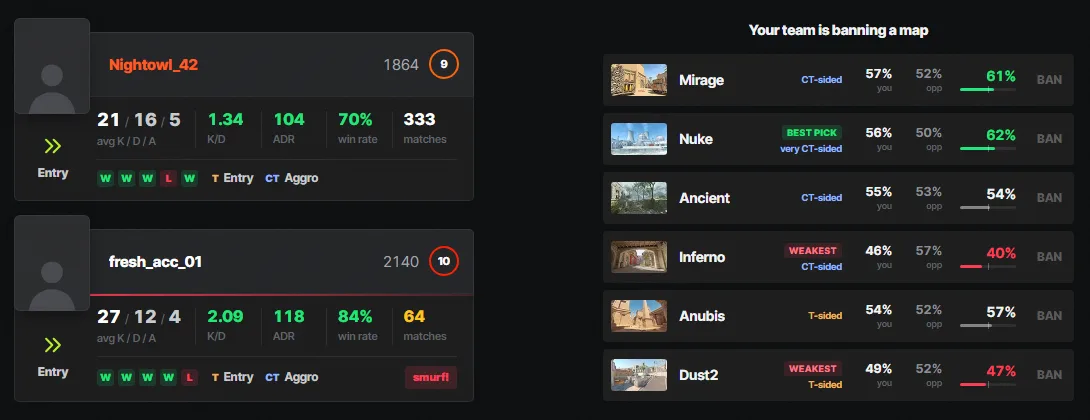
Prefire bundles auto-accept and auto-connect with match room stats, win chance and smurf signals. Get it free.
Auto accept missed a match? Go through the 8 fixes. Comparing options? See best FACEIT extensions in 2026.
На русском: Автопринятие матча на FACEIT.